

How AI Is Improving Workplace Technology: 6 Everyday Examples
Artificial Intelligence | Cloud Services | Document Management System | Office Copiers, Printers, and MFPs | Office Technology
AI is already improving many of the systems employees rely on every day, often without requiring a separate AI tool or a completely new technology stack.
In workplace technology, artificial intelligence is used to classify information, recognize patterns, automate routine steps and surface issues that need attention. These capabilities are increasingly built into print devices, document platforms, IT tools, cloud communications, meeting-room systems and physical security solutions.
The practical value is not simply that a system is “powered by AI.” The value is that information can move with fewer manual handoffs, teams can respond more quickly and employees can spend less time on repetitive work.
What does AI across the connected workplace mean?
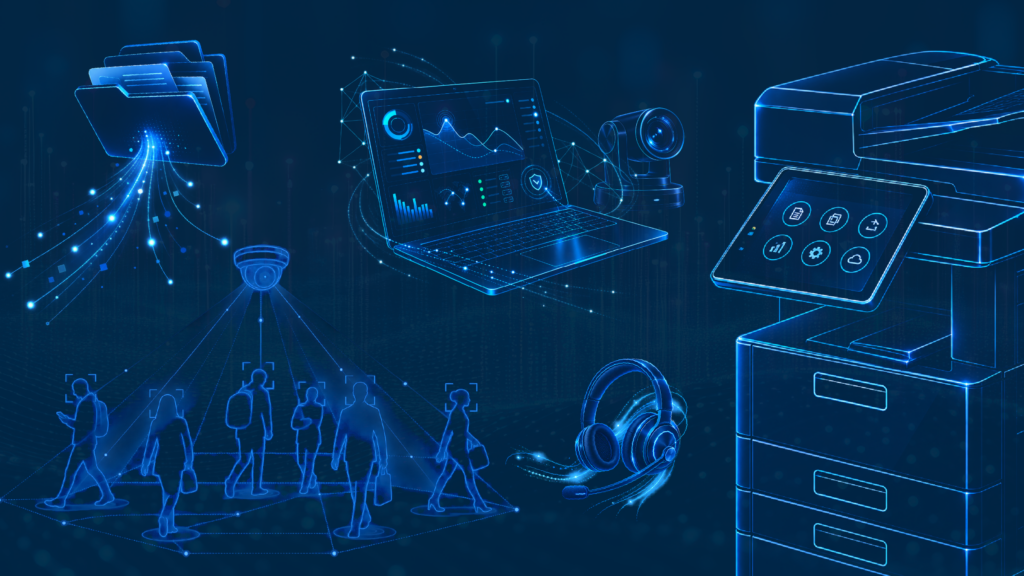
AI across the connected workplace means intelligent features are embedded throughout an organization’s technology environment instead of operating as one isolated application. The strongest use cases connect data, devices and workflows so an insight in one system can lead to a useful action in another.
- Print: Smarter scanning, supply forecasting and earlier service alerts.
- Document management: Automatic capture, data extraction and workflow routing.
- Managed IT: Anomaly detection, support-ticket triage and everyday assistance.
- Cloud communications: Live transcription, summaries and more intelligent call handling.
- Pro AV: Auto-framing, noise suppression and searchable meeting records.
- Physical security: Video analytics, connected access control and faster review of important events.
These capabilities are most useful when they support a clearly defined business process. They still require thoughtful configuration, appropriate data controls and human oversight.
1. How is AI used in print?
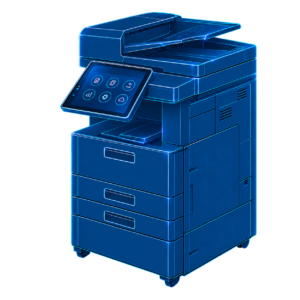
AI can help multifunction printers and managed print platforms make scanning, supply management and device support more proactive.
With smarter scanning, a device can recognize the type of document being scanned and apply the appropriate destination or workflow. An invoice might be routed to an accounts-payable queue, while an employee form could be sent to an HR repository. This reduces the number of choices a user has to make at the device and creates more consistent processes.
Usage analytics can also help estimate when toner and other supplies will be needed. Device monitoring can identify error patterns or performance changes that may deserve attention before they become a larger disruption. The result is a print environment that is easier to manage and less dependent on emergency fixes.
Related reading: See the service, workflow, inventory and security elements that support a well-managed fleet in What Should Good Managed Print Services Look Like?
2. How does AI improve document management?

AI improves document management by turning unstructured files into searchable information and moving that information into the right workflow.
Intelligent Document Processing can recognize common document types such as invoices, contracts, applications and intake forms. It can then extract important details, including names, dates, totals, account numbers or other fields, without requiring someone to retype every value.
Once the information is captured, rules and intelligent automation can route the document for review, approval, storage or follow-up. Employees spend less time sorting files and chasing manual handoffs, while the organization gains a more consistent record of how information moved through the process.
3. How does AI make IT more proactive?

AI helps IT teams find unusual activity sooner, organize incoming support requests and give employees faster access to everyday assistance.
AIOps tools analyze information from networks, endpoints, applications and infrastructure. When activity differs from an established pattern, the system can alert the IT team and provide context for investigation. This does not guarantee that every outage or security issue will be prevented, but it can shorten the time between an early warning sign and a response.
AI can also categorize help desk tickets, identify priority requests and route them to the appropriate queue. Within tools such as Microsoft 365, assistants can help users summarize information, draft content and work with data. The goal is to reduce routine friction while keeping technical decisions and higher-risk actions under appropriate human control.
4. How does AI improve business communications?

AI improves cloud communications by capturing conversations in real time, summarizing what matters and helping calls reach the right destination.
Live transcription can create a written record while a call or meeting is happening. Automatic summaries can identify key points, decisions and next steps, making follow-up easier for employees who participated and colleagues who need the outcome.
In customer-facing environments, intelligent call routing can use the caller’s request and available context to direct the conversation more efficiently. Post-call analytics may help teams identify recurring topics, service issues or changes in customer sentiment.
Organizations should establish clear policies for recording, analyzing and retaining communications, especially when sensitive information is involved.
5. How does AI improve meetings and Pro AV?

AI can make hybrid meetings easier to see, hear and revisit by improving camera framing, audio quality and meeting records.
Auto-framing cameras can adjust the shot to keep active speakers or a group of participants in view. Noise-suppression features can reduce common distractions such as keyboard sounds, HVAC noise or nearby conversations so remote participants can hear more clearly.
When transcription and summaries are enabled, a meeting can become a searchable source of decisions and action items instead of disappearing when the call ends. These features work best when the room design, microphones, cameras, displays, network and collaboration platform are planned as one experience.
6. How does AI make physical security more responsive?
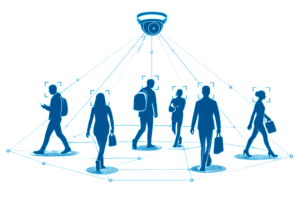
AI can help physical security teams focus on relevant activity by analyzing video and access data for events that may require review.
Video analytics can flag defined conditions, such as movement in a restricted area, an object left in a location or activity outside expected hours. Connected access-control systems can help teams review who entered a space and when, while centralized platforms can bring camera, access and alert information into a more complete view.
These tools are designed to support faster awareness and investigation, not to replace human judgment. Alert thresholds, privacy requirements, data retention and escalation procedures should be established before AI-assisted monitoring is deployed.
Why a connected approach matters
Each use case can deliver value on its own, but the larger opportunity comes from connecting systems around the way work actually happens. A scan may begin at an MFP, move into a document workflow, rely on identity and network services managed by IT, and ultimately reach an employee through a cloud application. Security, governance and support need to follow the information across that entire path.
That is why AI planning should begin with the business process, not the feature list. Organizations should identify where employees lose time, where information stalls, where service becomes reactive and where teams lack visibility. From there, they can evaluate which intelligent capabilities solve a real problem and how those capabilities fit into the broader technology environment.
Frequently asked questions about AI in workplace technology
What is AI in workplace technology?
- AI in workplace technology refers to intelligent features built into the systems employees already use, including printers, document platforms, IT tools, communications systems, meeting rooms and security solutions. These features analyze information, recognize patterns and automate defined tasks.
Does a business need a separate AI platform to use these capabilities?
- Not always. Many AI capabilities are embedded in existing devices and cloud platforms. The right approach depends on the organization’s current systems, goals, integrations, security requirements and licensing.
Can AI prevent every device failure or IT outage?
- No. Predictive monitoring and anomaly detection can provide earlier warning and useful context, but they cannot eliminate every failure. Maintenance, sound infrastructure, skilled support and tested response procedures still matter.
What is Intelligent Document Processing?
- Intelligent Document Processing, often shortened to IDP, uses technologies such as optical character recognition, machine learning and workflow automation to classify documents, extract important data and route information into business processes.
How can organizations use workplace AI responsibly?
- Start with a clear business purpose, limit data access to what is necessary, review vendor and security requirements, define human oversight, communicate with employees and monitor results. Higher-risk uses may require additional legal, compliance and privacy review.
Where should an organization start?
Start with one workflow that creates recurring friction. Document the current steps, the people and systems involved, the information being handled and the outcome that needs to improve. Then determine whether an AI-enabled feature can remove a manual step, identify an issue earlier or provide better context for a human decision.
LDI Connect helps organizations evaluate how print, document management, Managed IT, cloud communications, Pro AV and security can work together as one connected workplace. Explore AI across the connected workplace or schedule a conversation about where intelligent automation can create the most practical value for your team.